Skip to content
|
Help Center
Search
Search
Sign In
How to Determine if Account is on Contract
There are multiple ways in which to determine if an account is on a contract.
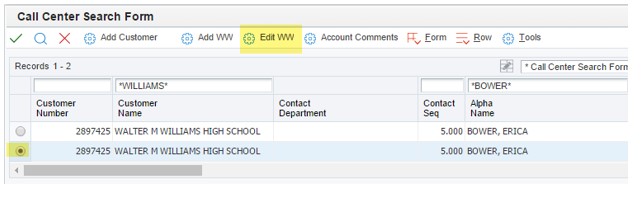
When selecting the correct billing and shipping for an order:
Highlight the row you wish to use.
Select Edit WW
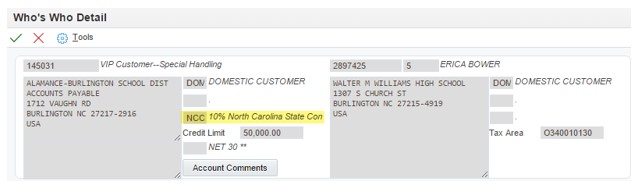
If a contract is on the account it will be listed on the Who’s Who Detail screen.
If this field is blank, the account is not on a contract.
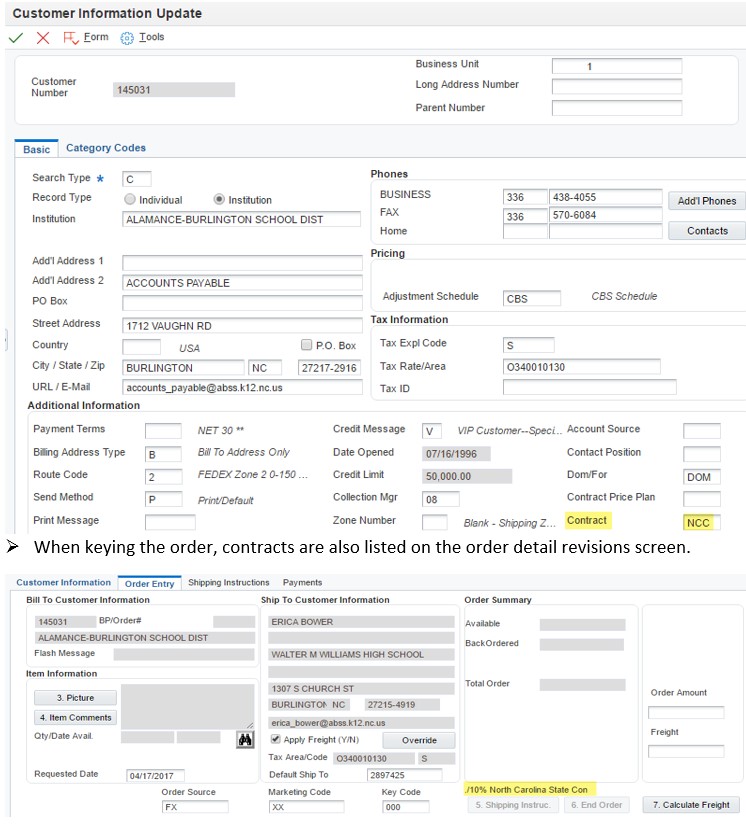
You can also check for a contract after selecting the billing and shipping
From the Sales Order Detail Revisions screen:
Select Add/Change Customer Information.
If on contract, Contract field will be populated.
If blank, then the account is not on contract.
Click the red X to exit.
Username or Email Address
Password
Remember Me
Log In
Lost your password?