Skip to content
|
Help Center
Search
Search
Sign In
University of Arizona, DLE Kit order
You should have access to LiveHelpNow (see icon below).
If you do not have a login, please see a supervisor or group lead.
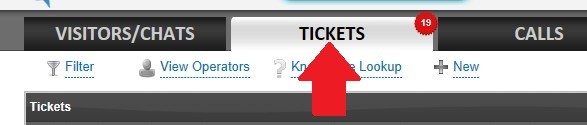
When you open LiveHelpNow click on the Tickets tab
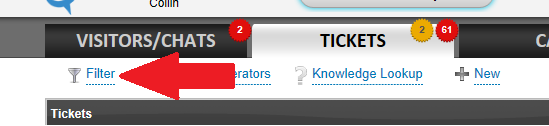
From the tickets tab, click on the hyper link for Filter
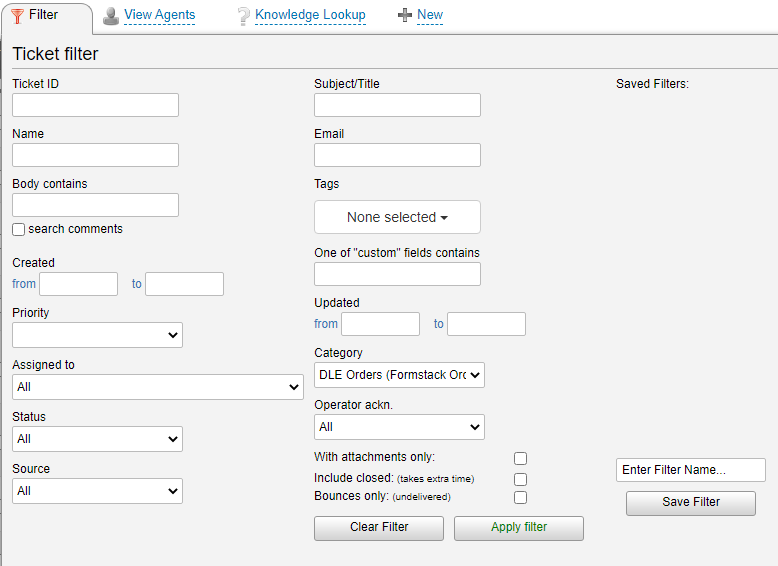
From the filter page, select the Category dropdown menu
Select DLE Orders (Formstack orders)
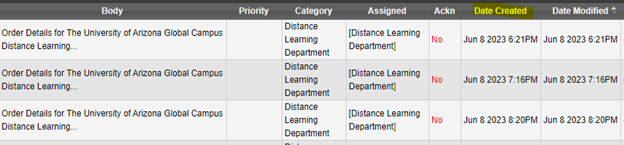
Scroll to the oldest tickets as indicated in the Date Created column.
Look for tickets with a Status Code of
Open
and that are not assigned to another agent.
Example of an open ticket has yet to be assigned.
Example of a ticket that has been assigned to another agent.
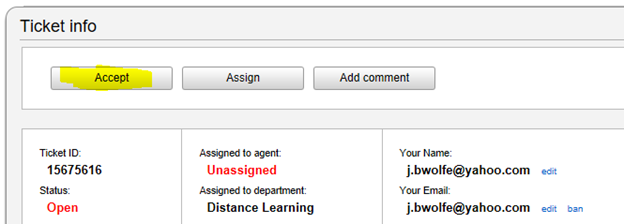
Double click anywhere on ticket to open it.
Immediately after opening ticket,
YOU MUST CLICK ACCEPT!
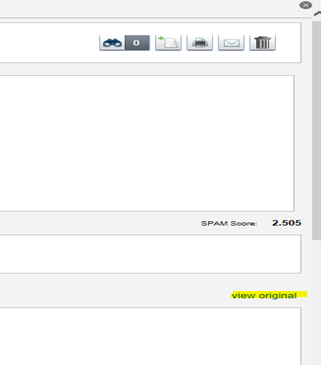
Click view original.
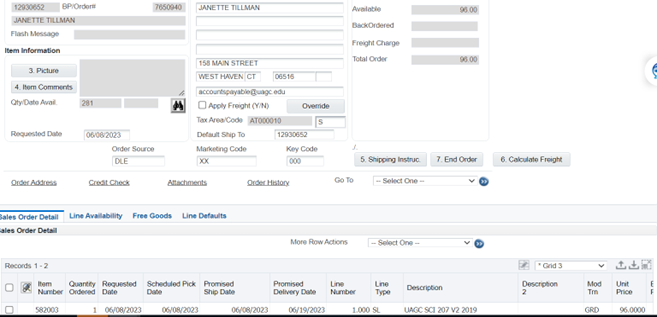
Use billing account number (
12930652
) for all Arizona distance learning orders.
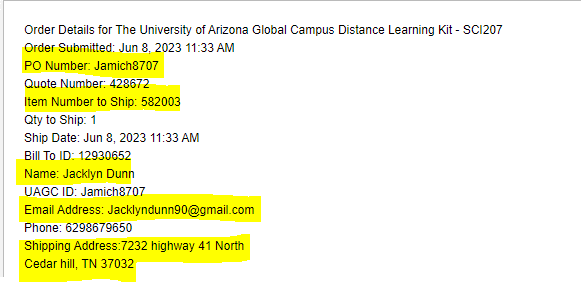
All information needed to key the order is located on the Order Details page (displayed after clicking View Original).
Enter Purchase order number in the PO field
Reassign the ticket to Distance learning for ALL International DL orders.
From the Order Entry Tab:
Click the Override button
Key the shipping address from the ticket
Order source is
DLE
Only
ONE
kit should be keyed
Only key the Course/ kit number requested
DO NOT
calculate freight (make sure the freight flag is unchecked)
The mode of trans will defaults to GRD
Click End Order and submit order just like any other order in JDE.
From the Manage Existing Order Screen, add student’s phone number:
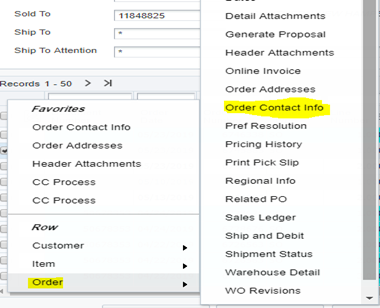
Highlight line and right click
Select Order and then Order Contact Info
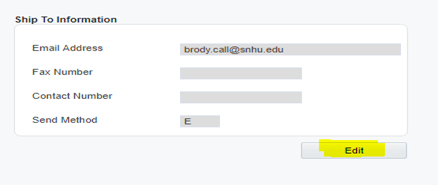
Under Ship to Information, click Edit
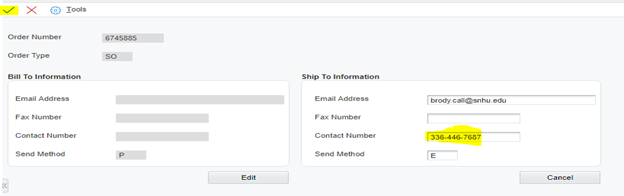
Add phone number in the contact number field and click
PLEASE DO NOT FORGET TO ATTACH THE FORMSTACK TO THE ORDER
Username or Email Address
Password
Remember Me
Log In
Lost your password?