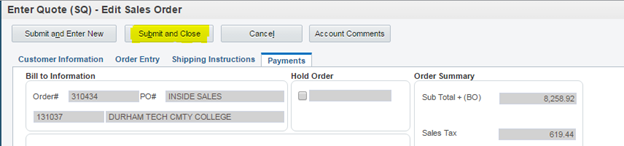
If a quote has expired, do not extend the date. Any extension requests MUST be requoted for new quotes. Only follow these steps if you need to release an TBN order.
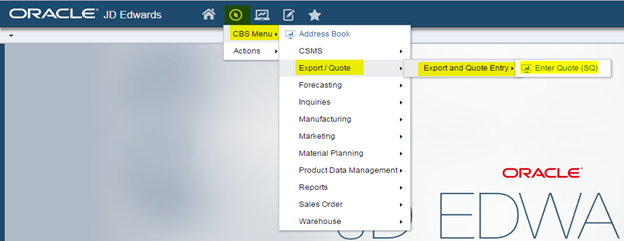
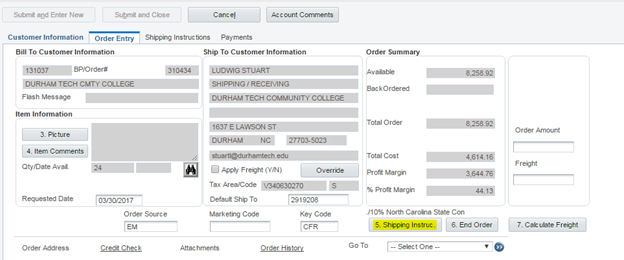
Click Navigator > CBS Menu > Export/Quote > Export and Quote Entry > Enter Quote(SQ)
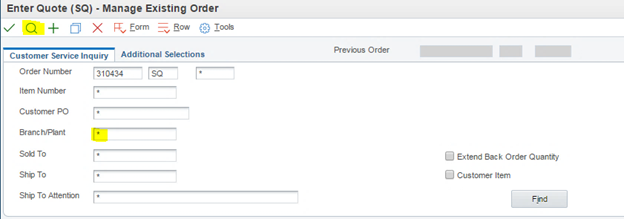
2. Enter Quote Number in Order Number field
3. Delete the “1” from Branch/Plant field and click
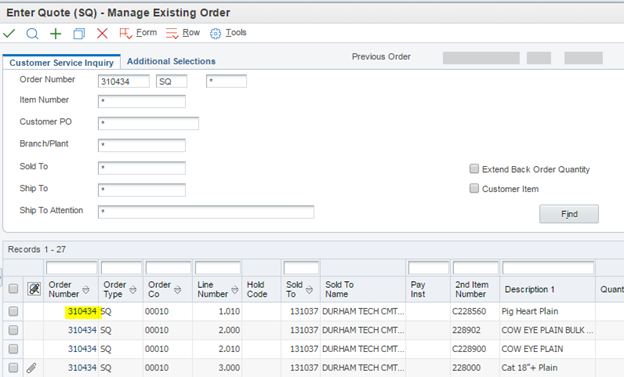
4. Double click on order number to view/open quote
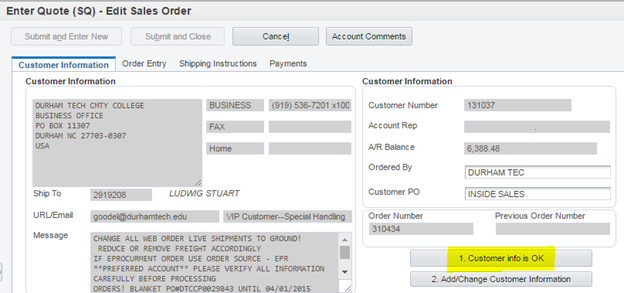
5. Click
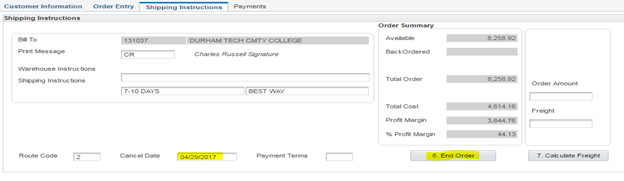
6. Click
7. View date in “Cancel Date” field and determine if it is eligible for extension
For the foreseeable future, please make all Quotes:
Quotes are now good for 60 days only, no discounts will be available on microscopes, equipment, or anatomical models now so they will be quoted at full current price for the time being.
Please do not extend any quotes if the following items are listed: microscopes, equipment, or anatomical models.
Reach out to quotations for any quotes that have expired past 60 days and to extend any of the restricted items listed at quotations@carolina.com.
When emailing quotations please include the following information: customer’s name, quote number, email address, and telephone number