Skip to content
|
Help Center
Search
Search
Sign In
BOM Inquiry
BOM (Bill of Material) Inquiry allows you to look up the contents of a kit and includes:
Component item numbers and quantities
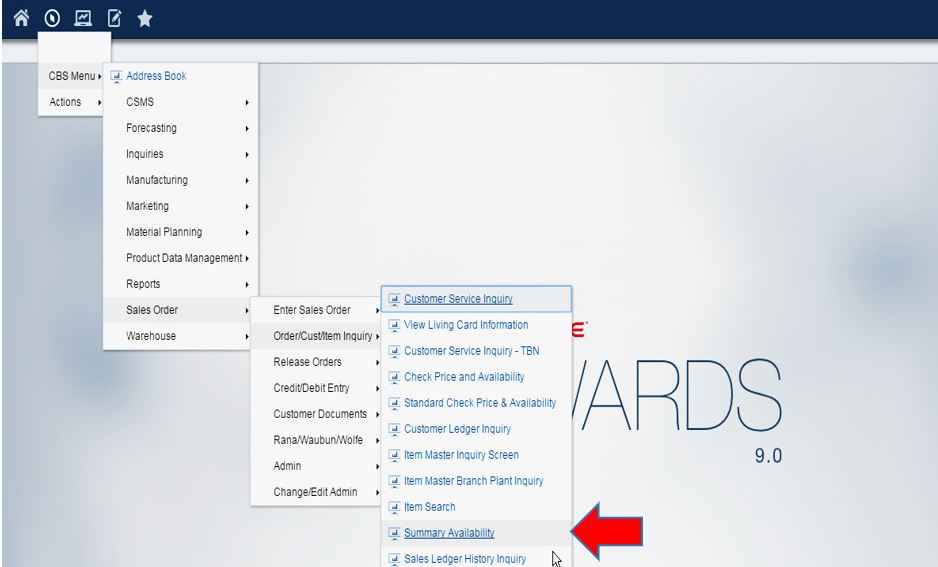
To access, use the Navigator and left click:
CBS Menu
Sales Order
Order/Cust/Item Inquiry
Summary Availability (can right click to add as favorite)
You are now on the Summary Availability screen
Click
Click
from drop down menu
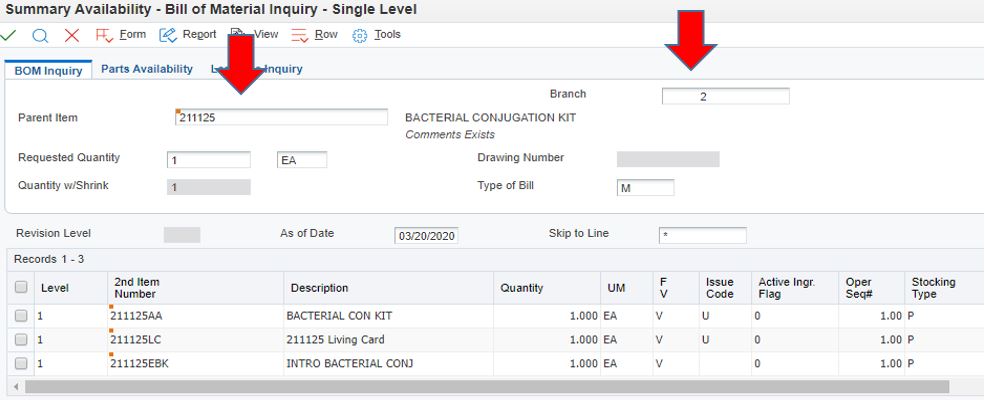
You are now on the Bill of Material Inquiry screen
Add the item number in the Parent Item Field
You must also add the correct Branch Plant for the parent Item number and click
If you do not know the branch plant
You can find the branch plant by doing an item history search in JDE
Or you can plug in each branch plant one at a time until you get the right one (2,3,5,6,7,8,9)
As seen above, Bacterial Conjugation kit has three component lines:
The kit itself (211125AA)
The Living Material Card (211125LC)
The Digital Item (211125EBK)
To see the stock components of the kit:
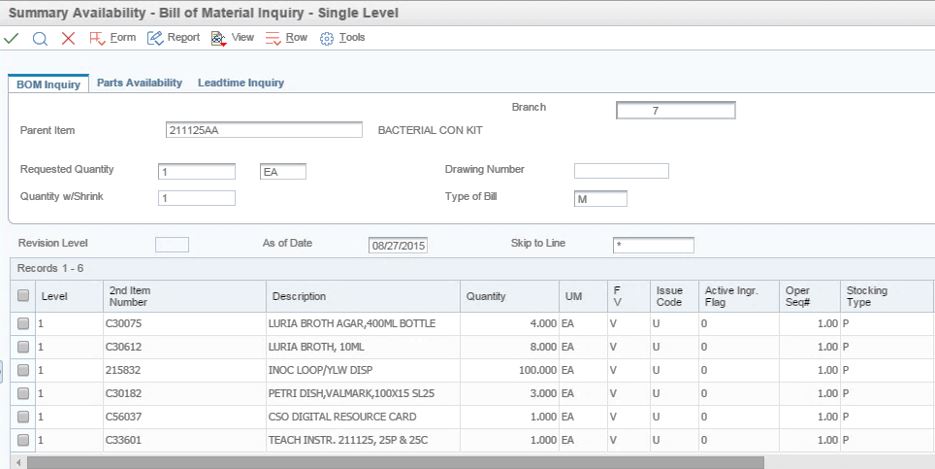
Type the kit number (in this case 211125AA) into the Parent item field
You may have to change the branch plant
Often the kit portion comes from branch plant 2 or 7
Click the
button and the non-perishable items will be listed
This kit also come with a living card (211125LC). To view the material associated with the card:
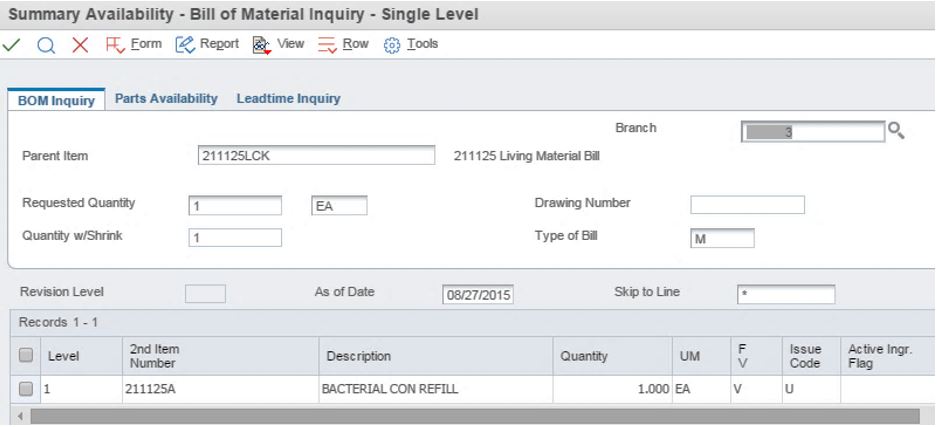
Enter the item number for the living material bill (211125LCK)
Change the branch plant to BP 3
Click
You may get a list of living material right away
See the example below
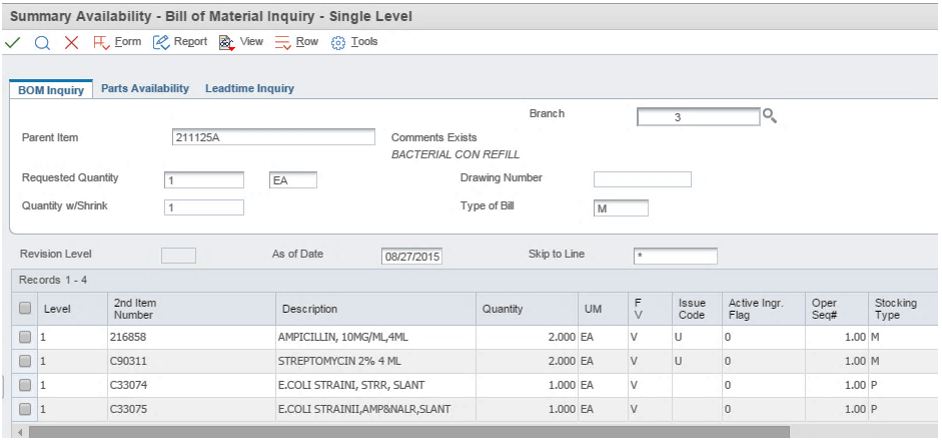
To look up the refill contents plug in the 2
nd
Item Number (211125A) into the Parent Item Field
Click
The contents of the living material bill will now be displayed:
Username or Email Address
Password
Remember Me
Log In
Lost your password?

 from drop down menu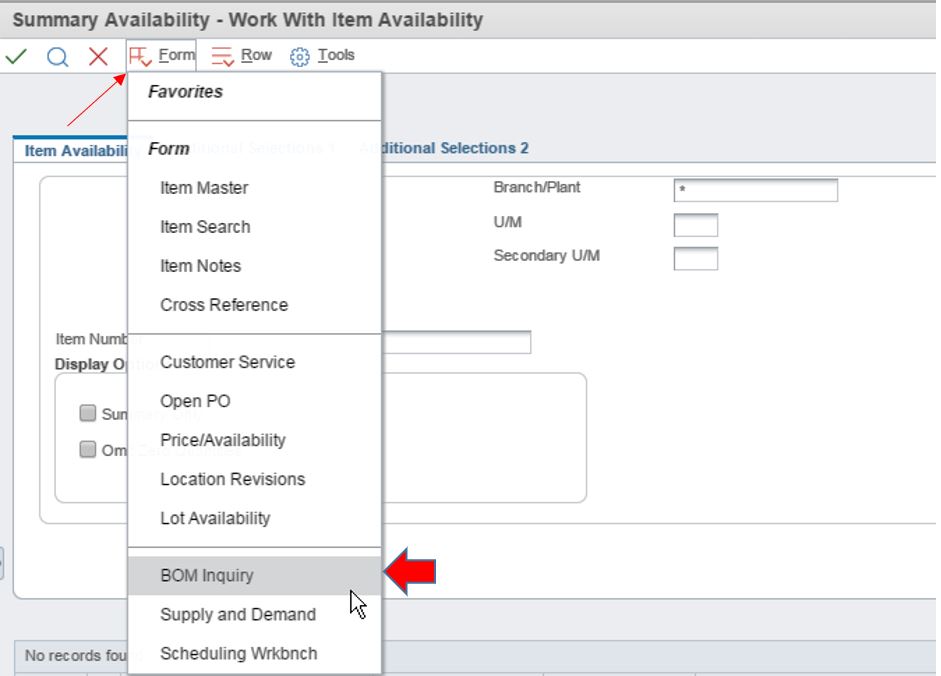
 button and the non-perishable items will be listed