
Search

How to locate Voucher Orders

Tips and Reminders!

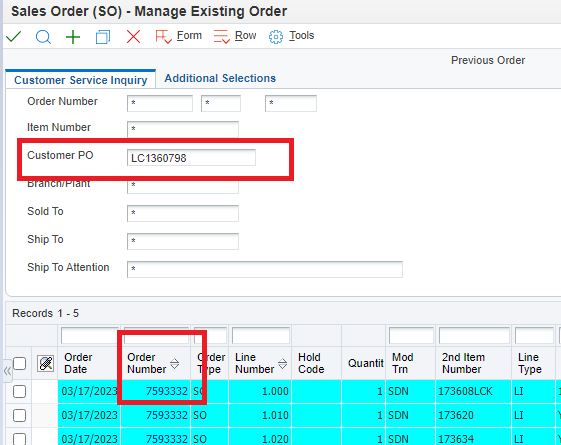
If the customer calls asking for the status of their voucher order, and only has the voucher number for reference, you can find the order number by entering the number in the PO field on a SO-Manage Existing Order screen, preceded by LC.

If they have nothing but the Ship To name, you can search with that information.

(You can narrow options with an * wildcard after the LC in the PO field.)

If the customer calls regarding the status of their voucher order, and has no information, you can search by the Ship To name on the Browse Living Voucher Requests screen.

In the Status box, check the All button, enter the first and/or last name in the Records fields – verify spelling. Click Search.

See additional searches options outlined in red.